
7 Poster LED Display Buying Tips for Global Buyers

A Poster Led Display can turn a quiet shop window into a bright, moving focal point. But a strong image alone does not make a sound purchase. Buyers must match screen size, pixel pitch, brightness, operating hours, and service support to the actual installation. A display viewed from two meters needs different specifications from one placed across a station concourse. Small details matter.

The market is growing, but broad figures need careful interpretation. Grand View Research valued the global digital signage market at USD 28.83 billion in 2023 and projected an 8.1% compound annual growth rate from 2024 to 2030. That report covers digital signage as a whole, not poster LED displays alone. It signals demand, not a guarantee of return on investment. Buyers should still check local installation costs, energy use, warranty terms, and content-management needs.

Use one practical test: “Specify the viewing distance before choosing the pixel pitch.” It is useful advice, not a verified quotation from a named expert. No source for a named Poster Led Display expert quotation was provided, so attributing invented words would weaken trust. The guide ahead focuses on verifiable decisions: image quality under real lighting, cabinet construction, connectivity, supplier support, and total cost over time. Ask for a live demonstration. Check the screen from the distance customers will stand. Then compare written specifications with the actual unit—not just the brochure.
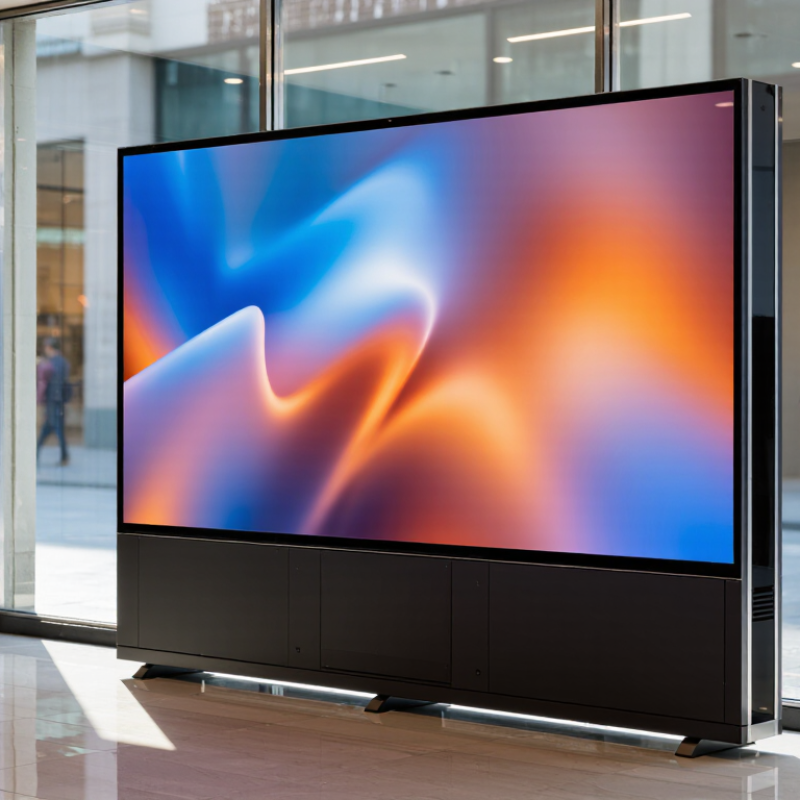
7 Poster LED Display Buying Tips for Global Buyers

Define the Display’s Purpose, Location, and Viewing Distance

Before comparing brightness or cabinet size, define the job. Is the poster LED display meant to stop shoppers near a counter, guide visitors through a lobby, or present offers across a storefront? OAAA and The Harris Poll’s 2023 study found that 76% of U.S. adults had noticed an out-of-home advertisement in the previous month. That figure is a useful reminder: visibility depends on context, not just screen specifications.

Map the actual viewing point. A display beside a checkout may be read from one metre away; a unit near an entrance may be seen from across a wide hall. Match pixel pitch and content to that distance. Fine text can look crisp up close but disappear in motion. Stand where visitors will stand. Check again.

Location changes the requirements. A bright glass frontage needs more luminance than a shaded corridor, while reflections can wash out dark graphics. Record ambient light at different times, not just during a quiet site visit. AVIXA’s 2024 Industry Outlook and Trends Analysis estimated global professional audiovisual revenue at about $325 billion, reflecting the scale of varied display environments. Still, that market figure cannot choose your screen. A measured site visit can—and sometimes reveals the first plan was wrong.

Compare Pixel Pitch, Brightness, and Image Quality

7 Poster LED Display Buying Tips for Global Buyers
Compare Pixel Pitch, Brightness, and Image Quality

For a poster LED display, pixel pitch determines how clearly viewers can see fine detail. A 1.5 mm pitch may suit close indoor viewing, while a wider pitch can work from across a lobby. Treat viewing-distance rules as starting points, not guarantees. I still find them imperfect: small text, camera use, and viewing angles can change what looks sharp. Check a full-size sample from the distance people will actually stand.

Brightness is not everything. VESA’s DisplayHDR Compliance Test Specification includes peak-luminance tiers of 400, 600, and 1,000 cd/m². These are useful reference points, not outdoor signage requirements. Ask for measured brightness at the screen surface, plus performance under ambient light; a bright display can still look washed out in direct sun. Look for grayscale detail, consistent color across cabinets, and smooth gradients. Subtle defects show up fast on pale backgrounds. Request test images and inspect them at low brightness, too. That part is easy to overlook. Compare image quality in the intended setting, not only in a dark showroom.

Poster LED Display Buying Guide: Pixel Pitch & Brightness

Indicative planning targets by installation environment; actual requirements vary with ambient light, viewing distance, and display design.

Image quality tip: Choose pixel pitch for the closest expected viewing distance. Brightness should suit the ambient light without washing out colors; also compare refresh rate, grayscale performance, and color calibration. Values shown are illustrative selection targets, not universal specifications.

Check Cabinet Design, Installation, and Portability

Cabinet design affects image alignment, maintenance, and how quickly a poster display can move between venues. Check whether the frame allows front access, and confirm that power and signal connectors remain reachable after installation.

Grand View Research valued the global digital signage market at USD 28.83 billion in 2023 and projected an 8.1% compound annual growth rate through 2030. More deployments make service access and repeatable setup practical purchasing concerns, not minor details.

Tip: Compare total weight, not panel weight alone. Include the base, stand, and any battery. Check cabinet dimensions against doorways, lifts, and storage areas. Lockable casters help on smooth floors, but they do not replace a stable base.

Before ordering, request a cabinet drawing, total assembled weight, and installation instructions. Measure the route from delivery point to display location; a unit that fits the room may not fit the elevator.

For frequent moves, check grip points and whether one person can safely handle the unit. Do a trial setup if possible. It may reveal awkward cable access or a stand that feels less stable than expected.

Some buyers focus on screen appearance first. That is understandable, but portability problems are expensive to discover on event day.

Evaluate Control Systems, Connectivity, and Content Compatibility

A poster LED display is only as dependable as its control system. Ask how operators upload, schedule, and replace content, and whether access can be assigned to different staff members. Menus should make routine tasks clear, not hide them behind technical settings. Before ordering, request a live demonstration using the actual screen orientation and a typical schedule. Test it. Notice how long a simple update takes, and what happens if the network drops. A system that works only with constant support may become a daily frustration.

Check connectivity against the installation site. Confirm available Ethernet or Wi-Fi options, USB playback, and whether content can be updated locally when internet access is unreliable. Then verify compatibility with your files: supported formats, resolution, aspect ratio, and portrait layout. A video may play yet still look cropped or softened on the display. Prepare a sample image and short clip at the screen’s exact pixel dimensions, then ask the supplier to test them. Specifications do not always reveal awkward workflow details, and I would treat polished demonstrations with some caution. The best fit is the system your team can operate consistently, even on a busy day.

Verify Supplier Support, Warranty, Certifications, and Total Cost

7 Poster LED Display Buying Tips for Global Buyers

Check supplier support before comparing screen prices. Ask who handles installation questions, spare modules, and remote diagnostics after delivery. Request response times in writing, plus a named contact and clear escalation steps. A helpful sales call is not the same as dependable technical support. Ask for a sample troubleshooting guide.

Tip: Match warranty terms to your project. Confirm the coverage period, what parts and labor are included, and who pays shipping for replacements. Ask how pixel defects are assessed. Verify that certificates apply to the exact display model and intended market; check their scope and issuer rather than relying on a logo in a brochure. Details matter.

Calculate total cost, not just the quoted unit price. Include freight, import charges, mounting hardware, commissioning, spare parts, and expected energy use. Request an itemized quote with currency, delivery terms, and exclusions stated clearly. It is easy to overlook small costs when comparing offers; I would still leave room for contingencies, even with a careful spreadsheet. A lower price may simply leave more work and risk with the buyer.

7 Poster LED Display Buying Tips for Global Buyers - Verify Supplier Support, Warranty, Certifications, and Total Cost

No. Buying Tip What to Verify Evidence to Request Buyer Action
1 Confirm the display fits its intended use Check screen dimensions, pixel pitch, resolution, brightness, viewing distance, refresh rate, and whether the display is intended for indoor or outdoor use. A product specification sheet and a working demonstration using your content, where practical. Compare specifications against the installation location and expected viewing distance.
2 Verify supplier support Confirm support hours, contact channels, language coverage, troubleshooting process, software assistance, and availability of remote or on-site service in your region. Written support terms, escalation contacts, response-time commitments, and a description of service coverage. Ask who handles technical issues after delivery and whether service costs are included.
3 Read the warranty terms carefully Check warranty duration, covered components, exclusions, claim procedure, repair or replacement options, and responsibility for shipping or labor. A written warranty document that applies to the quoted product and destination market. Clarify how defective modules, power supplies, and other replaceable parts are handled.
4 Check destination-market compliance Identify the electrical safety, electromagnetic compatibility, radio, and environmental requirements that apply to the product and the country of import. Relevant test reports or declarations, with model details that match the quoted display. Requirements vary by destination and product configuration. Verify documents with the applicable regulator, customs broker, or qualified compliance professional before ordering.
5 Calculate the full landed cost Include display price, packaging, freight, insurance, duties, taxes, customs clearance, local delivery, installation, and any required accessories. An itemized quotation stating the trade term, delivery destination, currency, and which charges are excluded. Compare suppliers using the same delivery scope and confirm who pays each cost.
6 Review spare parts and maintenance Ask which components are replaceable, how parts are identified, whether spares are available, and what tools or technical skills routine maintenance requires. Parts list, maintenance instructions, recommended spare-parts options, and any stated availability or lead-time terms. Factor likely maintenance and replacement-part costs into the operating budget.
7 Confirm delivery, setup, and operating requirements Check packed dimensions and weight, delivery schedule, installation method, power requirements, ventilation needs, content-management method, and network requirements. Packing details, installation guide, power specifications, delivery estimate, and clear instructions for content upload or scheduling. Confirm the site is ready and that the delivery route, electrical supply, and network access are suitable.

Note: Certification, import, tax, and warranty requirements depend on the product configuration and destination market. Verify current requirements before purchase.